How to save Instagram recipes (and actually cook them)
Open the Reel or post, tap Share and pick Eatpace. We read the caption, the creator’s comments and the Reel itself, and turn it into a recipe in your Cookbook with amounts, steps and a link back to the creator. From there it can be one of your next dinners.
Free on iPhone · a Reel or post is one of your 3 free video and photo imports
Save an Instagram recipe in three taps.

Saved is the start. Dinner is the point.
A Reel you save doesn’t sit in a saved tab you never scroll back to. It’s a recipe you can plan, shop for and cook.
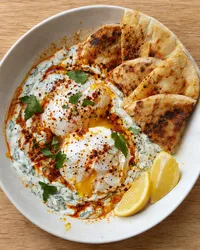 Turkish EggsFrom Instagram · 25 min New
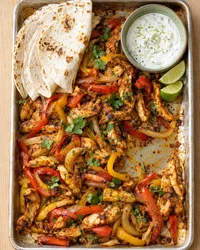 Sheet Pan Chicken FajitasFrom TikTok · 35 min
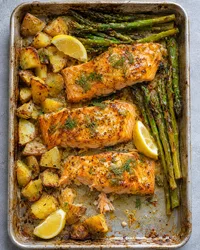 Lemon Mustard SalmonFrom the web · 50 min
It lands in your Cookbook
With the creator’s name and Open original, next to everything else you save. Your Cookbook works offline.
TonightTurkish Eggs It can be one of your next dinners
Put it on a night, or Cook it tonight. Swap it like any other dinner if plans change.
The grocery list follows
Its ingredients join one list for your next dinners, by aisle, with the same items added up. Oil and salt count as in stock.
What works, and what may not.
We read the caption, the creator’s comments and the video. Whatever comes in, you can edit every line.
Works well
- A recipe in the caption, line by line
- Amounts in the creator’s own comments
- Reels, posts and carousels
- A recipe that’s only said or shown in a Reel, up to 10 minutes
- A link to the creator’s site named in the caption
- Posts in another language, translated to English
May not come through
- An amount that’s only shown or spokenIf it’s never written down, we may miss it, or fill it in and tell you so. Check it in a tap.
- “Link in bio” with no site namedWe follow a site the caption or comments name. We can’t read the link on an Instagram profile yet.
- Private accounts and removed postsThere’s nothing for us to read.
Can I save a recipe from an Instagram Reel?
Yes. Tap Share on the Reel and pick Eatpace. We read the caption and the creator’s comments, and watch the Reel when the recipe isn’t written down.
Do I need to save the post in Instagram first?
No. Share it straight to Eatpace. It’s in your Cookbook from then on, so you don’t have to find it in Instagram again.
What if the recipe is “link in bio”?
If the caption or a comment names the creator’s site, we follow it and look for the recipe there. We can’t read the link on an Instagram profile yet.
Does it count toward my free imports?
Yes, a Reel or post is a video and photo import. Free has 3 in total, not per month; Pro has no limit. Saving the same post again doesn’t count twice.
Where does the Reel go?
It stays on Instagram. We read it to write the recipe, and Open original takes you back to it.
Who can see the Instagram recipes I save?
Only you. They’re in your Cookbook, never in Discover, anyone else’s search or on this website.