How to save YouTube recipes (and actually cook them)
Tap Share under the video and pick Eatpace. We read the description, the creator’s comments and the video itself, and turn it into a recipe in your Cookbook with amounts, steps and a link back to the channel. From there it can be one of your next dinners.
Free on iPhone · a YouTube video is one of your 3 free video and photo imports
Save a YouTube recipe in three taps.
Saved is the start. Dinner is the point.
A video you save doesn’t wait in Watch later. It’s a recipe you can plan, shop for and cook, without scrubbing back to find an amount.
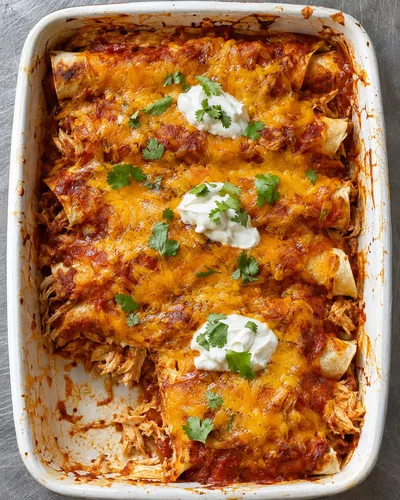
 Chicken EnchiladasFrom YouTube · 55 min New
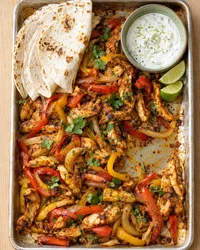 Sheet Pan Chicken FajitasFrom TikTok · 35 min
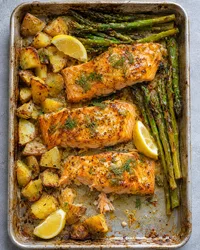 Lemon Mustard SalmonFrom the web · 50 min
It lands in your Cookbook
With the creator’s name and Open original, next to everything else you save. Your Cookbook works offline.
TonightChicken Enchiladas It can be one of your next dinners
Put it on a night, or Cook it tonight. Swap it like any other dinner if plans change.
The grocery list follows
Its ingredients join one list for your next dinners, by aisle, with the same items added up. Oil and salt count as in stock.
What works, and what may not.
We read the description, the creator’s comments and the video. Whatever comes in, you can edit every line.
Works well
- The whole description, with every amount
- The recipe on the creator’s own site, linked from the description
- A recipe that’s only said or shown, in videos up to 10 minutes
- Shorts
- Amounts in the creator’s own comments
- Videos in another language, translated to English
May not come through
- Videos longer than 10 minutesWe read the description and the creator’s site instead of watching. Most long videos put the recipe there.
- An amount that’s only shown or spokenIf it’s never written down, we may miss it, or fill it in and tell you so. Check it in a tap.
- Private or removed videosThere’s nothing left for us to read.
Can I save a recipe from a YouTube video?
Yes. Tap Share under the video and pick Eatpace. We read the description and the creator’s comments, follow a link to their recipe page, and watch the video when the recipe isn’t written anywhere.
What about long cooking videos?
For videos over 10 minutes we read the description and the creator’s site, where most long videos put the recipe. If neither has it, add the missing lines yourself.
Does it work with YouTube Shorts?
Yes. Tap Share beside the Short and pick Eatpace.
Does it count toward my free imports?
Yes, a YouTube video is a video import. Free has 3 video and photo imports in total, not per month; Pro has no limit. If the recipe is on the creator’s own site, saving that page instead uses one of your 10 recipe-site saves.
Do you download the video?
No. The video stays on YouTube. Open original takes you back to it.
Who can see the YouTube recipes I save?
Only you. They’re in your Cookbook, never in Discover, anyone else’s search or on this website.